SAVINGS GOALS
Make space for
your next chapter.
Create goals, record contributions, and look back at your savings history. Archive a goal and restore it with its contributions intact.
EVERYDAY BUDGETING, MADE CLEARER
From this week’s groceries to your next savings goal. Keep income, expenses, budgets, and bills together with NestBudget.
For iPhone · iOS 16.4 or later · English · USD
A little more clarity.
Room for what matters.
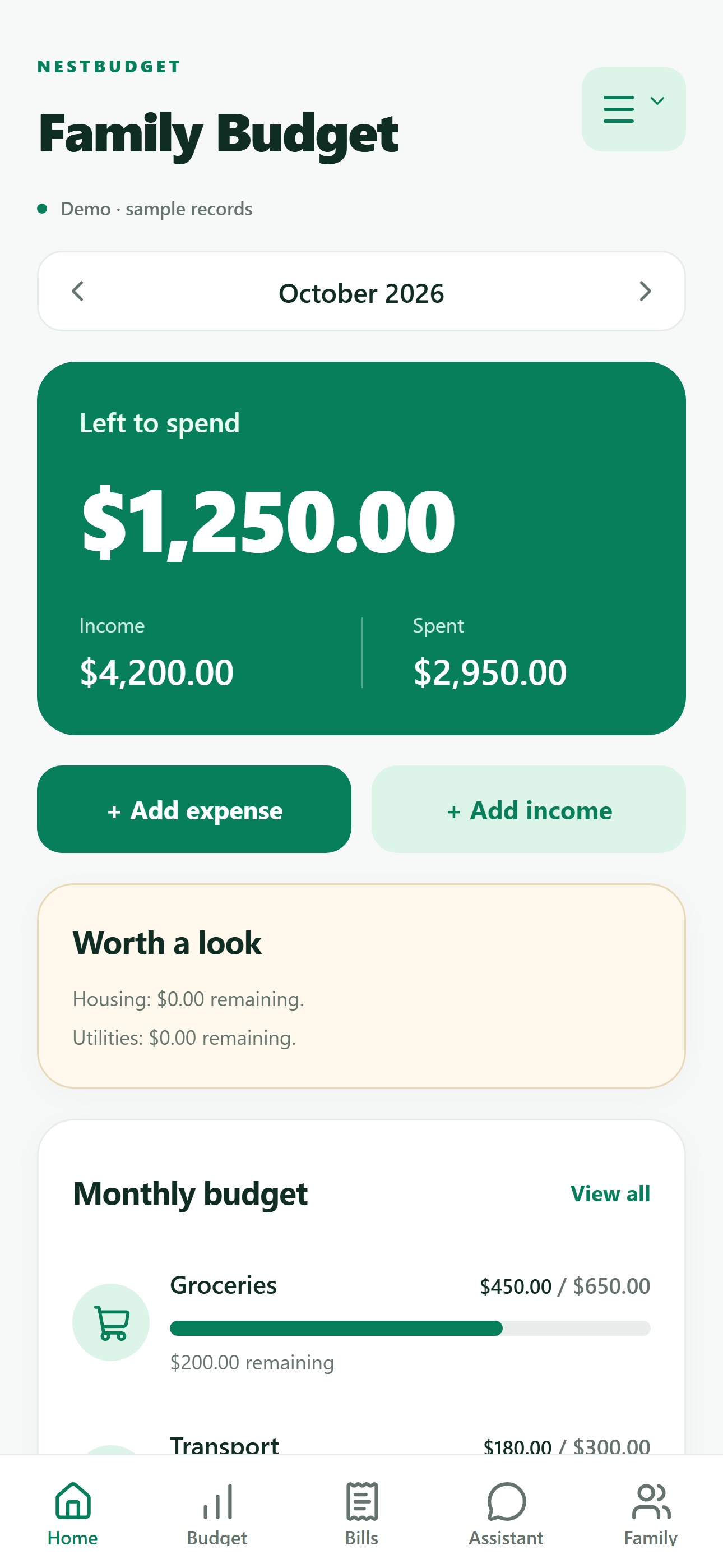
Actual App Store screenshot. Sample data shown.
A PLACE FOR THE EVERYDAY
Give the numbers you track a home, from day-to-day spending to the plans you’re working toward.
BEYOND THE DAY TO DAY
SAVINGS GOALS
Create goals, record contributions, and look back at your savings history. Archive a goal and restore it with its contributions intact.
REPORTS & EXPORTS
Review monthly cash flow and category breakdowns. Export your transactions as a CSV when you want to work with your records elsewhere.
ON-DEVICE ASSISTANT
Ask about your recorded budget, bills, savings, or the previous month. Answers are calculated from your entries, without a generative AI service.
Decorative illustrations, not app screens or financial projections.
START WHERE YOU’RE COMFORTABLE
Explore first, keep a personal budget on your device, or sign in to save your USD account budget online.
Meet NestBudgetA FEW GOOD QUESTIONS
Good to know about the current iPhone app.
No. You enter your income, expenses, and other budget records yourself. Automatic bank connections, bill-company connections, and money transfers are not available in this version.
NestBudget helps you track bills and record payments you’ve made elsewhere. It does not send payments. You can turn on a reminder for the day before a bill is due.
You can explore the separate demo or create a personal budget on your device. Signing in is an option if you want to save your USD account budget online.
NestBudget is available for iPhone with iOS 16.4 or later. The native app interface is in English, and monetary amounts are in US dollars. See the App Store for the latest compatibility information.
Yes. You can export transactions as a CSV. For an on-device budget, you can also export and restore file backups.
No. The on-device assistant calculates answers from your recorded entries without a generative AI service. It can answer questions about recorded income, spending, unpaid bills, savings goals, and previous-month comparisons.

ONE CLEARER MONTH STARTS HERE
Your everyday budget, ready when you are.
Download on theApp Store